A QUIETER KIND OF APP

A little space
for something
eternal.

Open the Bible. Follow a question.
Find a little more meaning in your day.

Free to download · Windows & Android · Offline Bible included

JOSHUA 1:5 · BSB

“I will never leave you
nor forsake you.”

A promise worth sitting with.
Versehaven · your reading space
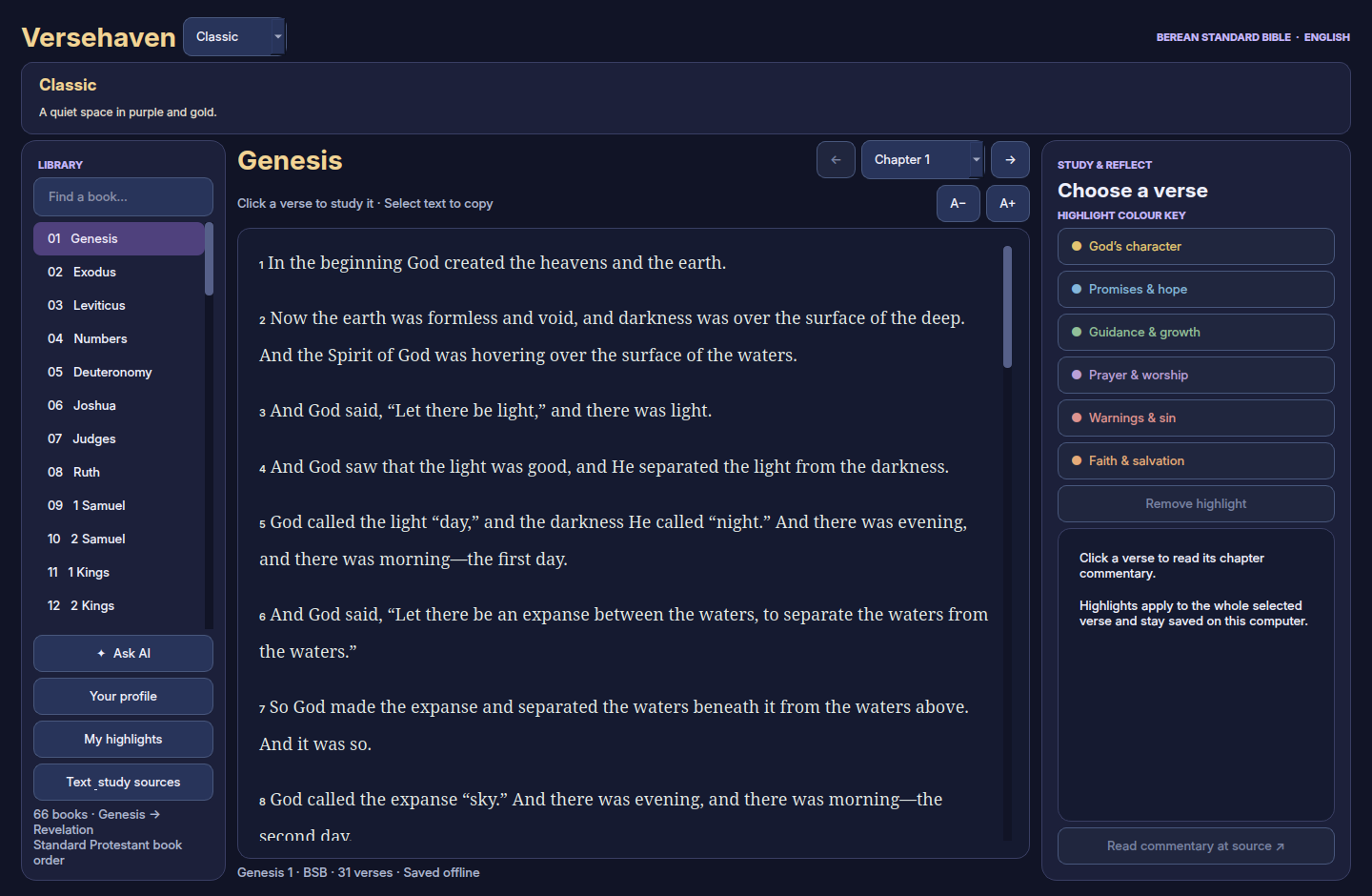
Versehaven Bible reader with its original logo and Classic appearance
Less noise. More room to reflect.
66 BOOKS✦1,189 CHAPTERS✦5 ATMOSPHERES✦Your PACE

BUILT AROUND THE WAY YOU READ

Not another thing to scroll.
Something to come back to.

01 / READ

The whole Bible.
A chapter at a time.

The 66-book Berean Standard Bible is already inside the app. Move from Genesis to Revelation, change your text size, and keep reading even when you’re offline.

▤
Keep the words that stay with you.

Six meaningful highlight colours make it easy to revisit promises, prayers, guidance and more.
Make room for your next chapter ↗
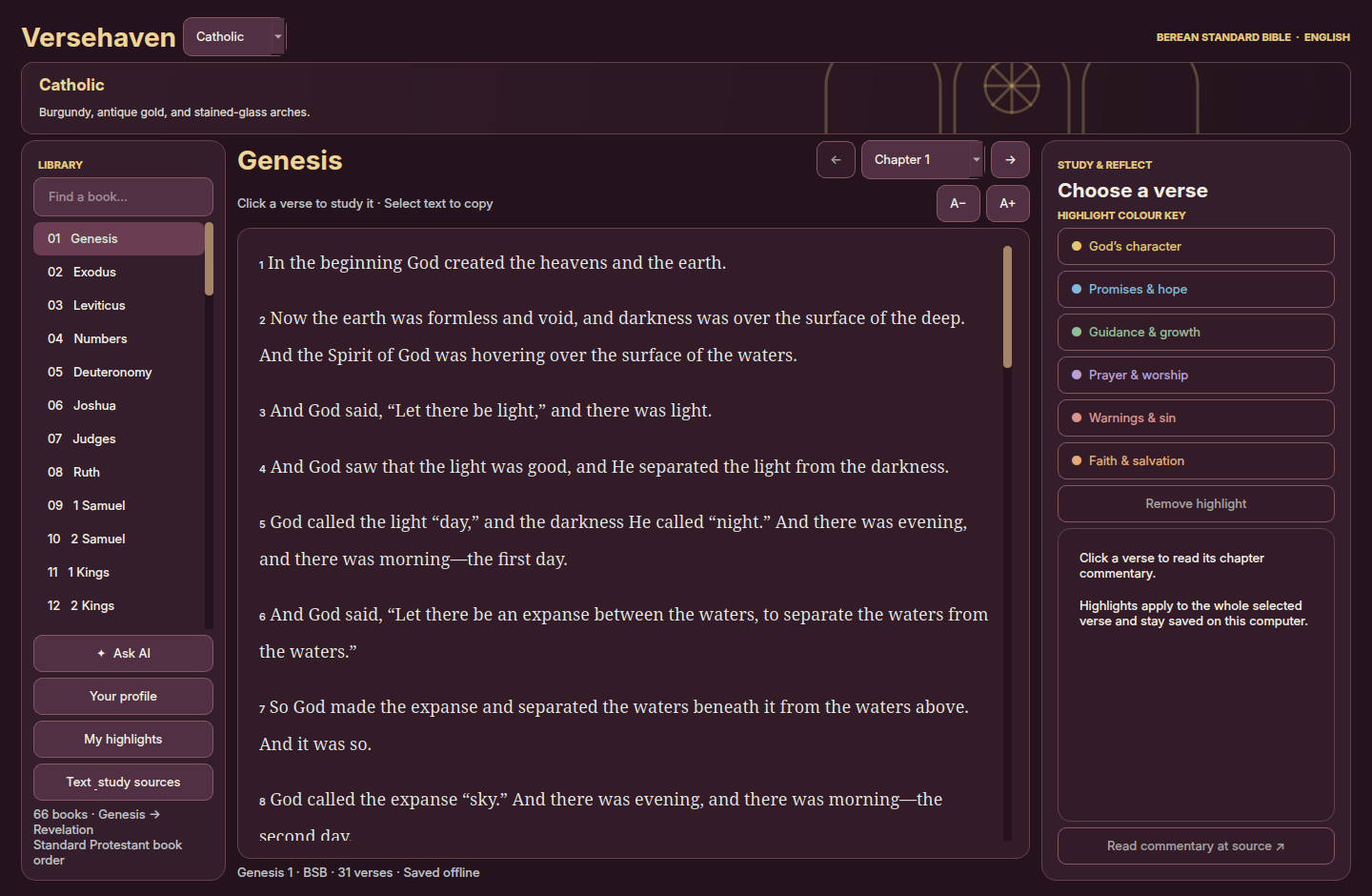
Burgundy and gold Catholic appearance in the actual Versehaven desktop app
Actual app view · Catholic atmosphere
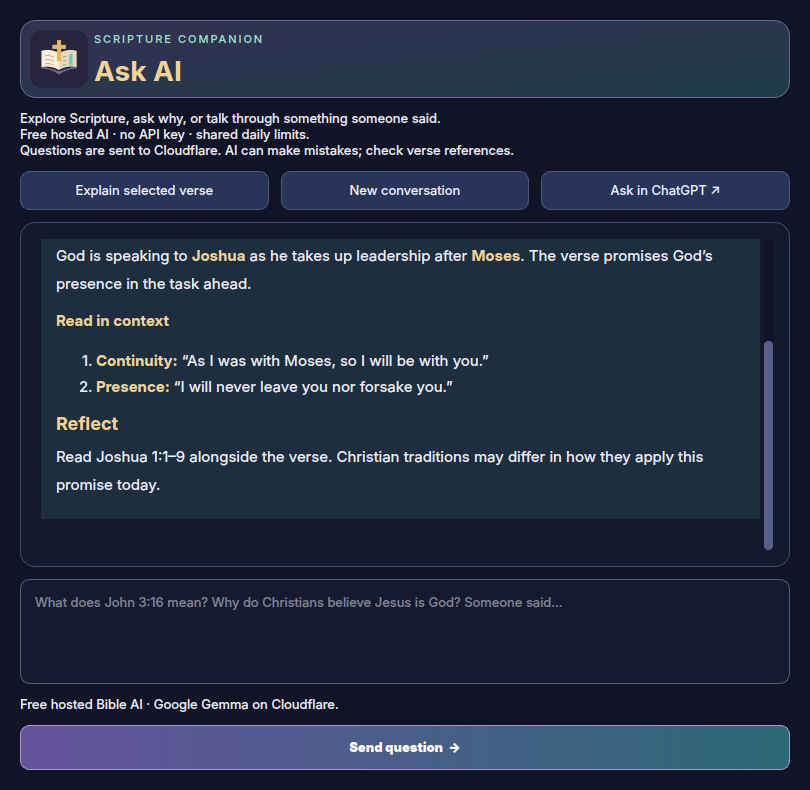
An example Versehaven explanation with clearly formatted headings and lists
Illustrative study conversation shown in the app
02 / ASK

Bring the questions
you’ve been carrying.

“What does this verse mean?” “Why do Christians believe that?” “Someone said something I don’t understand.” There’s room for those questions here.

The AI companion can explain context, explore different interpretations and continue the conversation. Recognised verse questions include the actual nearby Bible text.

A study companion, with room for your own judgment. AI can make mistakes—check important claims and references.

NEW IN VERSION 1.6 · LIVE QUESTIONS

Bring a question.
Find a conversation.

Choose a Bible verse or ask about your faith, then hear from other Versehaven readers on Windows, Android and Linux.

A shared space
to learn together.

Post a question, reply to someone else, and return to the conversation. Questions refresh every ten seconds while the community view is active.

Create one unique account name and use it on phone and PC. Your age stays private. Max’s verified owner account carries a red OWNER MAX badge. Keep personal and contact details private.

Room for faith.
Care for one another.

A moderation bot checks posts before publishing. Swearing, explicit content and harassment are blocked. Two warnings are followed by a fifteen-minute mute on the third violation within twenty-four hours.

Filters can make mistakes. Report anything missed so the owner can review it. Community replies are people’s opinions; check important claims and references.

Live Questions needs internet and the shared community service. If the service or moderation is unavailable, the app will tell you and new posts pause.

03 / MAKE IT YOURS

Same words.
Your kind of atmosphere.

Five simple visual themes. Choose the colours and details that make your reading space feel right.

Classic theme preview
Classic

A quiet space in purple and gold.

Appearance themes change the look of the app. The included Bible remains the 66-book Berean Standard Bible.

A WARMER WELCOME

A companion
at your pace.

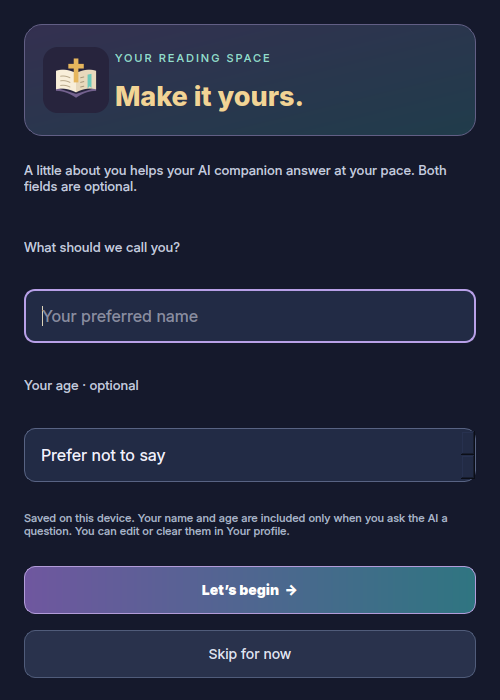
Read the Bible offline without an account, or sign up with a unique name, private age and password to join Live Questions. Log in with the same account on phone and PC.

Keep your password safely. Account names are unique, and only the verified owner can claim Max. Your account also supplies your private AI preferences.

◌

Account details are stored on Cloudflare; your age is private and passwords are hashed. Public posts show your name. AI questions include your saved name and age preferences. Your highlights stay on your device.

Versehaven account screen with Log in, Sign up and Continue reading offline

YOUR NEXT CHAPTER STARTS HERE

Take a little
Versehaven with you.

Free downloads. No website account. No API key to set up.

Bible reading and highlights work offline. AI needs internet and shares a daily free allowance. When that allowance is exhausted, AI requests pause. Update downloads use a signed release manifest and checksum verification. Android asks you to confirm installation; Windows can restart into an update. Older versions need one manual update. Windows release is not Authenticode signed.

MEET THE OWNER

Made with faith.
Shared by MAX.

A little about the person behind Versehaven.

VERSEHAVEN OWNER

MAX

Proud Christian ✝ · J.C ♥

FIND ME ON DISCORD
@maxytr

Add maxytr as a friend on Discord to get in touch.

A FEW THINGS TO KNOW

Before you
settle in.

Is Versehaven free?

The apps and downloads on this website are free. No app subscription or user API key is required. Hosted AI has a shared daily free allowance and may be unavailable when it is exhausted.

Can I read without internet?

Yes. The Bible, reading position and highlights work offline. AI needs internet. Commentary needs internet the first time you open a chapter and is then cached.

Which Bible is included?

The public-domain English Berean Standard Bible: 66 books in standard Protestant order. The visual themes do not change its text or book list. About the publisher’s text ↗

How do I install it?

On Windows, download and open the EXE. On Android, open the downloaded APK; Android may ask you to allow installation from your browser or file manager. The ZIP packages also include written instructions. APK files do not install on iPhones.

Where do my name, age and questions go?

Your account name, private age and password hash are stored on Cloudflare. Public community posts show your name; age and password are never public. A private login session is saved on your device. AI questions include your name and age preferences. AI chats stay in memory for the current session.